|
What's New in Version 2.30
Released 6/4/2011
Release 2.30 is a "must have" update, which has
many major improvements:
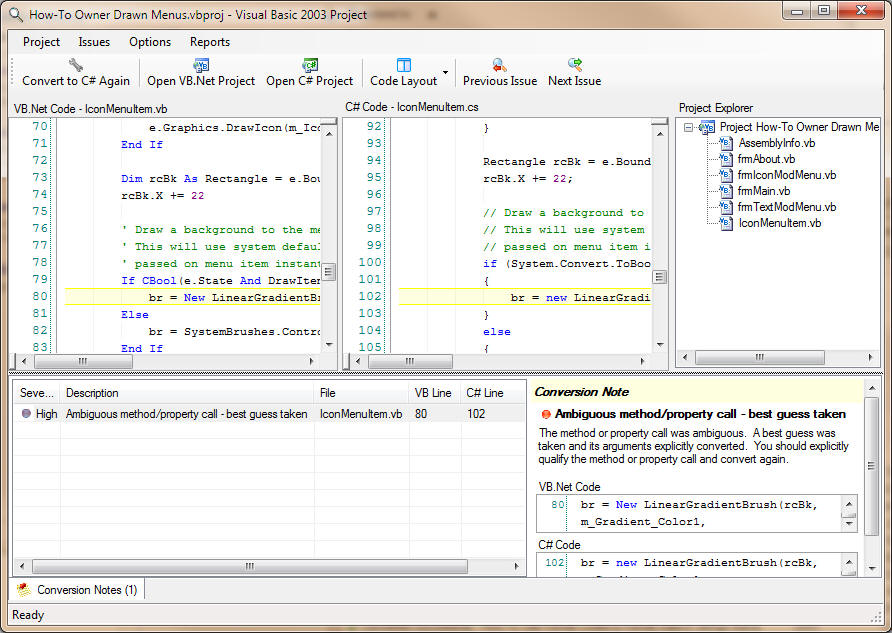
You can view and navigate your VB.Net and C# code, and any associated
conversion issues,
side by side in a Visual Studio like environment.
The whole conversion experience feels much more
intuitive and productive.
When a VB.Net or C# line is selected, the
associated line (or lines) in the other language
is automatically positioned and selected as well.
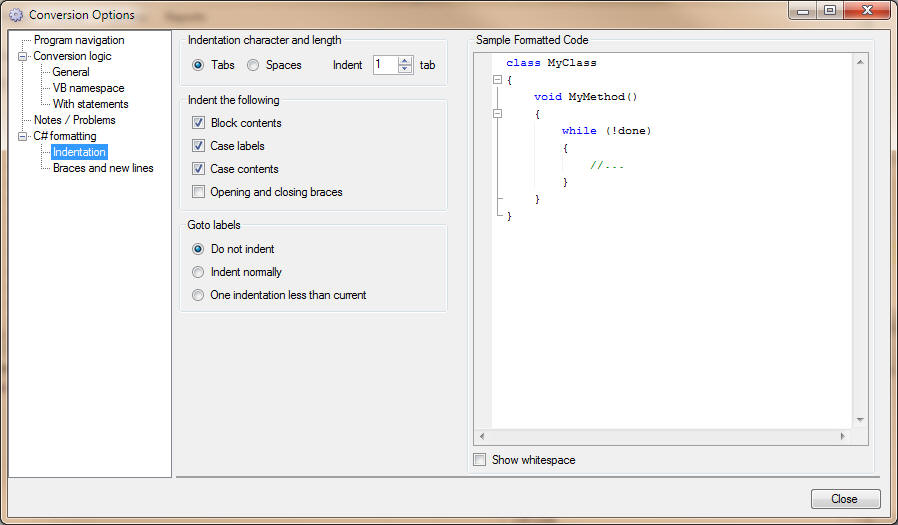
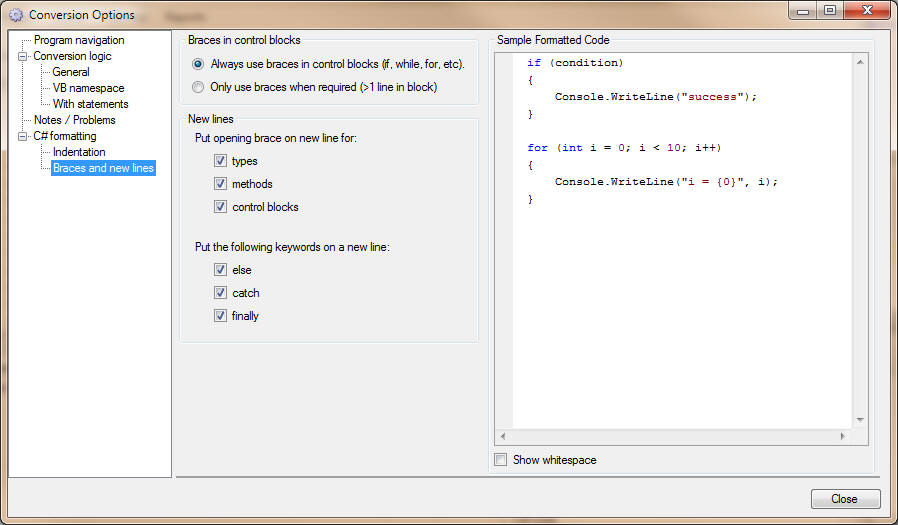
There is also extensive control over how the
C# code is formatted, similar to the code
formatting options in Visual Studio. You
can control how the C# code is indented, and the
placement of new lines and braces.
As formatting options are changed, you can
immediately preview a sample of the formatted C#
code in the right pane.
The On Error Goto -> try/catch conversion logic
has also been completely rewritten, and converts
most On Error Goto scenarios very cleanly and
without goto logic, similar to being
rewritten by hand.
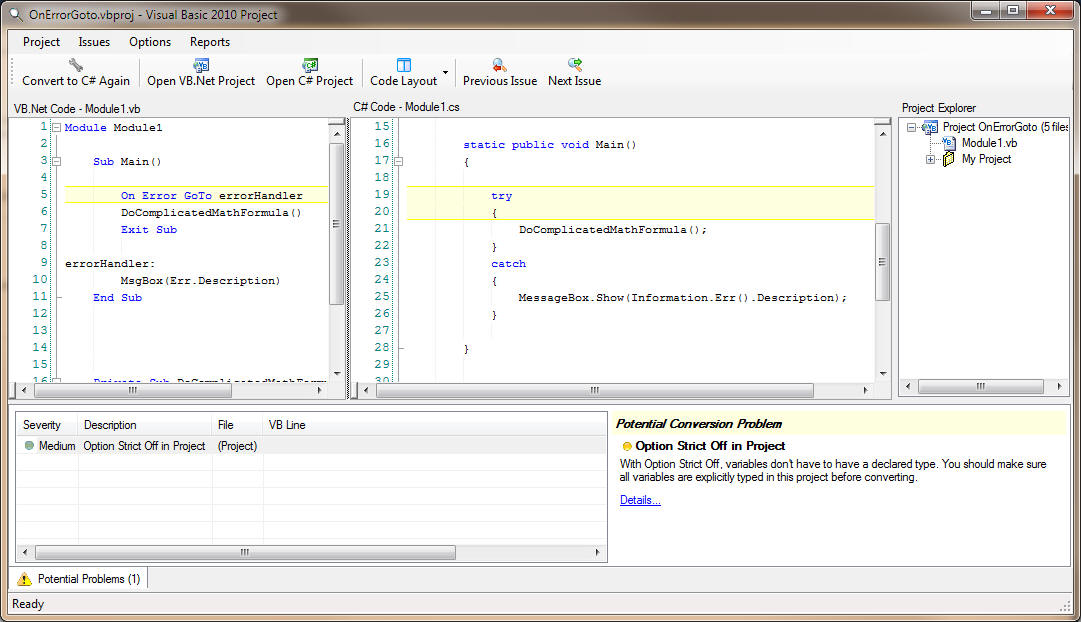
Below is the most common On Error Goto pattern.
Notice how the converter converted it to try/catch
logic, put the error handler directly into the catch
block, did not convert the Exit Sub because the new
logic made it unnecessary, and correctly converted
the VB Err object. In addition, the VB MsgBox
function was converted to the .Net equivalent
MessageBox.Show routine.
Competing converters either don't attempt On
Error Goto conversions or litter them with
unnecessary gotos. Also, the VB Err object,
which commonly appears in VB6 upgraded code, is
generally not converted by competing products.
In addition to the On Error Goto conversion
improvements, there has been other many conversion
accuracy improvements as well, mainly in the newer
features of VB.Net, such as LINQ and implicit line
continuations.
You are encouraged to
download version 2.30 and try it out for yourself!
See information on prior
releases |