|
What's New in Version 3.03
Released 2/6/2013
Current registered users: This
program will install unlocked and not overwrite your
previous installation.
For trial users: There is
a 15 day trial period, 2000
line limitation per project converted.
Click Here to Download
Version 3.03 was primarily focused
on improving conversion accuracy, but there was also
an advanced section added to the options screen,
allowing you to control file encoding, C# compiler
error correction, and how variable defaults are
handled.
- Better conversions of large / complex
projects. Most C# compiler error
corrections were moved to the initial base
conversion, greatly improving accuracy on
large / complex projects which could have a
serious C# compiler error impede the issuing
and automatic correction of subsequent C#
compiler errors.
- Fixed error when converting an
overloaded ^ operator.
- Changed default for datetime variables
to "1/1/1 12:00:00AM" to match VB defaults.
- Fixed aspx inline code conversions,
where <%: tags were not recognized and <%=
tags were not recognized within strings.
- Corrected issue converting <<= and >>=
operators.
- Fixed problem of converting a variable
named "operator" in 2003 projects
- Faster conversions: about 30% faster
than previous version.
- Improved many formatting issues in the
generated C# code.
- Fixed problem of hanging processes in
VB2010 and 2012 conversions when converting
multiple projects.
- Fixed issue of User Controls not getting
a constructor generated which calls
InitializeComponent() if necessary.
- For VB 2005 projects and above,
uninitialized variables are set to
default(type), rather than null, 0, etc..
- Improved conversions of typed datasets.
- Many more (too many to list).
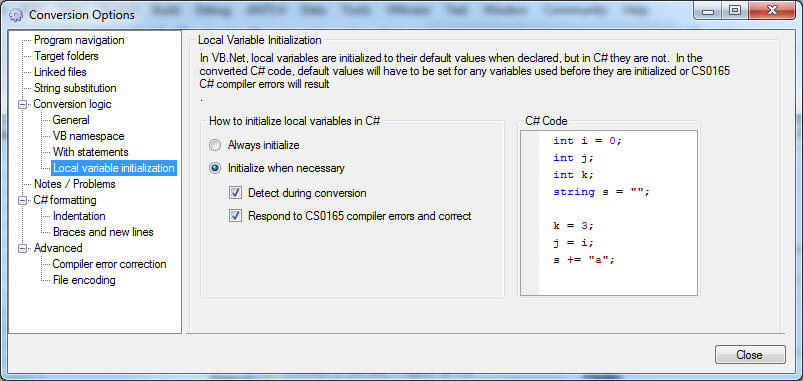
- Local variable
initialization options:
In VB.Net, local variables are always
initialized to their default values, but are
not in C#. Variables must be
explicitly initialized in C# before use to
prevent a CS0165 compiler error.
Previous versions only initialized when
necessary. You now have the option of
always initializing local variables.
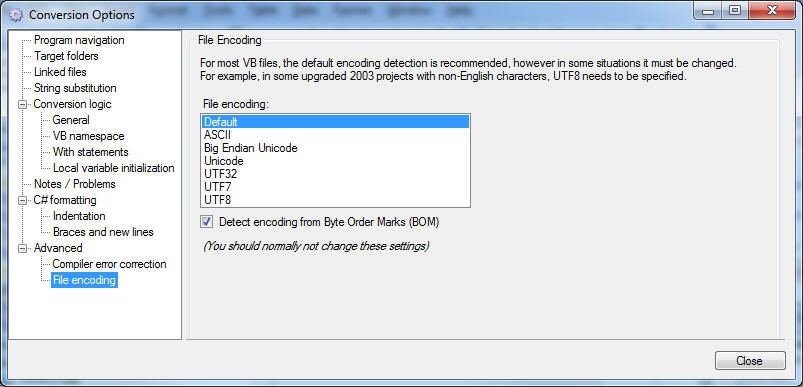
For most VB projects with non-English
characters, the default file encoding
detection is recommended, but must be
changed in some specialized situations.
In some upgraded 2003 projects with
non-English characters, for example, UTF8
should be selected.
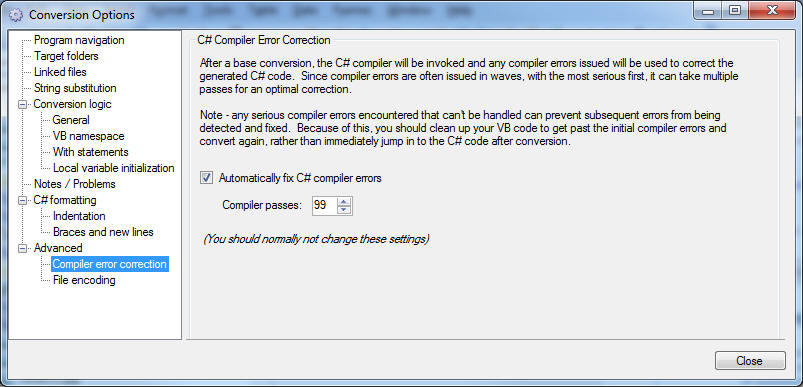
- Compiler error
correction options:
The converter will perform a base
conversion to C#, then compile the C# code
and automatically perform code corrections
based on the compiler error messages
received (much like a human would do).
This often requires multiple compiler
passes. You should not normally change
these settings, but you can now control this
process.
See information on prior
releases |